Personal field notes from a side project for practical vibe coding on the go.
Why I Built This
I gave OpenClaw a real shot, then came back and tried again a few months later.
Both times I hit the same wall: for long, stateful work, the IM-first flow felt worse than just staying in the CLI.
The friction was mostly operational:
- Message/channel behavior could be inconsistent in edge cases
- Session context and thread boundaries could get messy
- Long-running automation had reliability footguns
Those weren’t just private paper cuts. Similar patterns have shown up in public threads and advisories:
- Telegram ordering bug report: Issue #10848
- WhatsApp document metadata bug report: Issue #10862
- Thread/context leakage report: Issue #10838
- Process/memory pressure report: Issue #10864
- Security advisories page: openclaw/openclaw advisories
At the same time, the April 4, 2026 Claude subscription change pushed many third-party harness setups toward extra usage/API billing:
- TechCrunch (Apr 4, 2026): Anthropic says Claude Code subscribers will need to pay extra for OpenClaw usage
- Axios (Apr 6, 2026): The AI agent buffet is closed
- OpenClaw FAQ reference on billing/auth paths: OpenClaw FAQ
Meanwhile, terminal-native agents (Codex/Claude) kept improving quickly. So I stopped waiting for the IM layer to catch up and built a mobile control plane around real terminal sessions.
The Friction Was Personal
This had been a friction point for months. I kept trying different tools and abandoning them because there was always one more sharp edge that made truly computer-free operation inconvenient.
With this tooling I built in conjunction with Wispr Flow, I’m basically speaking to my phone and turning that into running systems. That still feels a little absurd in the best way. Idle minutes are no longer dead time; they are launch windows for the next idea running in the background.
That quality-of-life shift is the whole point.
What Is AI Traffic Control
AI Traffic Control is a mobile-first control surface around terminal-native sessions:
- Browser terminal layer (
xterm.js) overttyd - Persistent
tmuxsessions - Dashboard for slot-level state and quick triage
- Provider usage telemetry for quota-window decisions
- Hot-dial tiles to spawn repeatable, directed agent flows fast
- Structured launch flow (provider/template/persona/workdir)
What It Looks Like
Dashboard overview
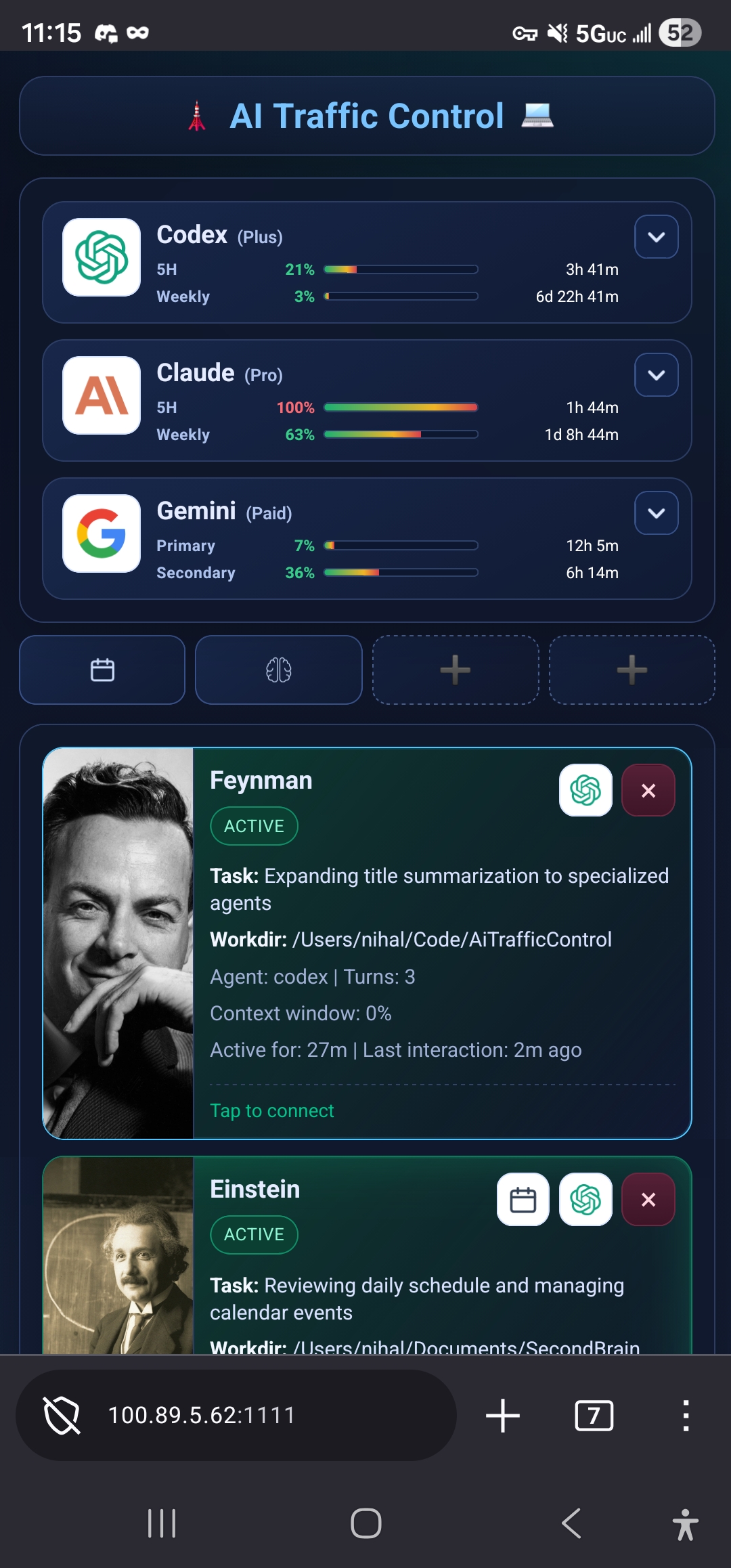
The dashboard gives a top-level view across providers like Codex, Claude, and Gemini, plus hot tiles for repeated functions and a live view of which scientists are currently operating.
Browser terminal view
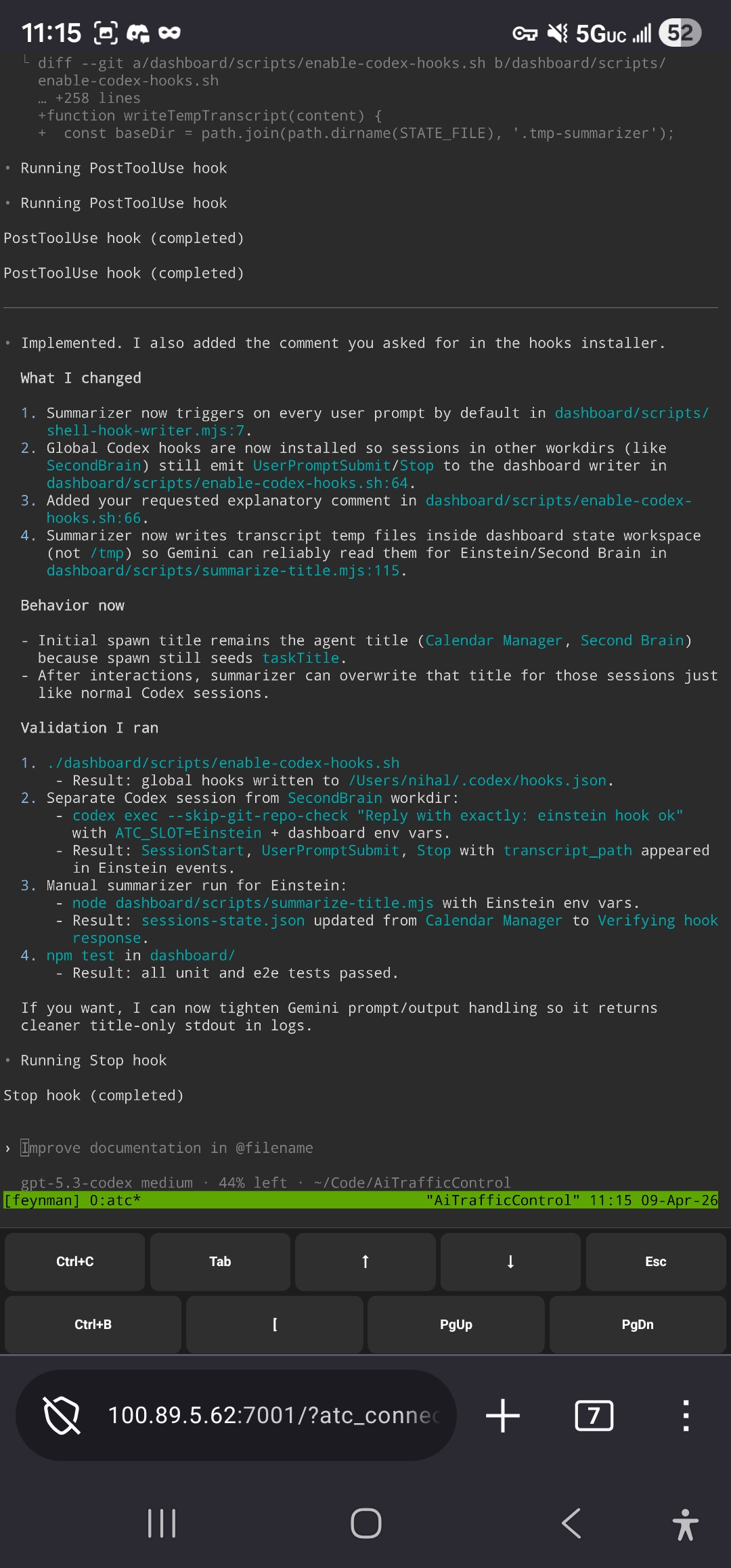
This is what the embedded xterm.js terminal view looks like when you are driving real sessions inside the browser.
Intent modal
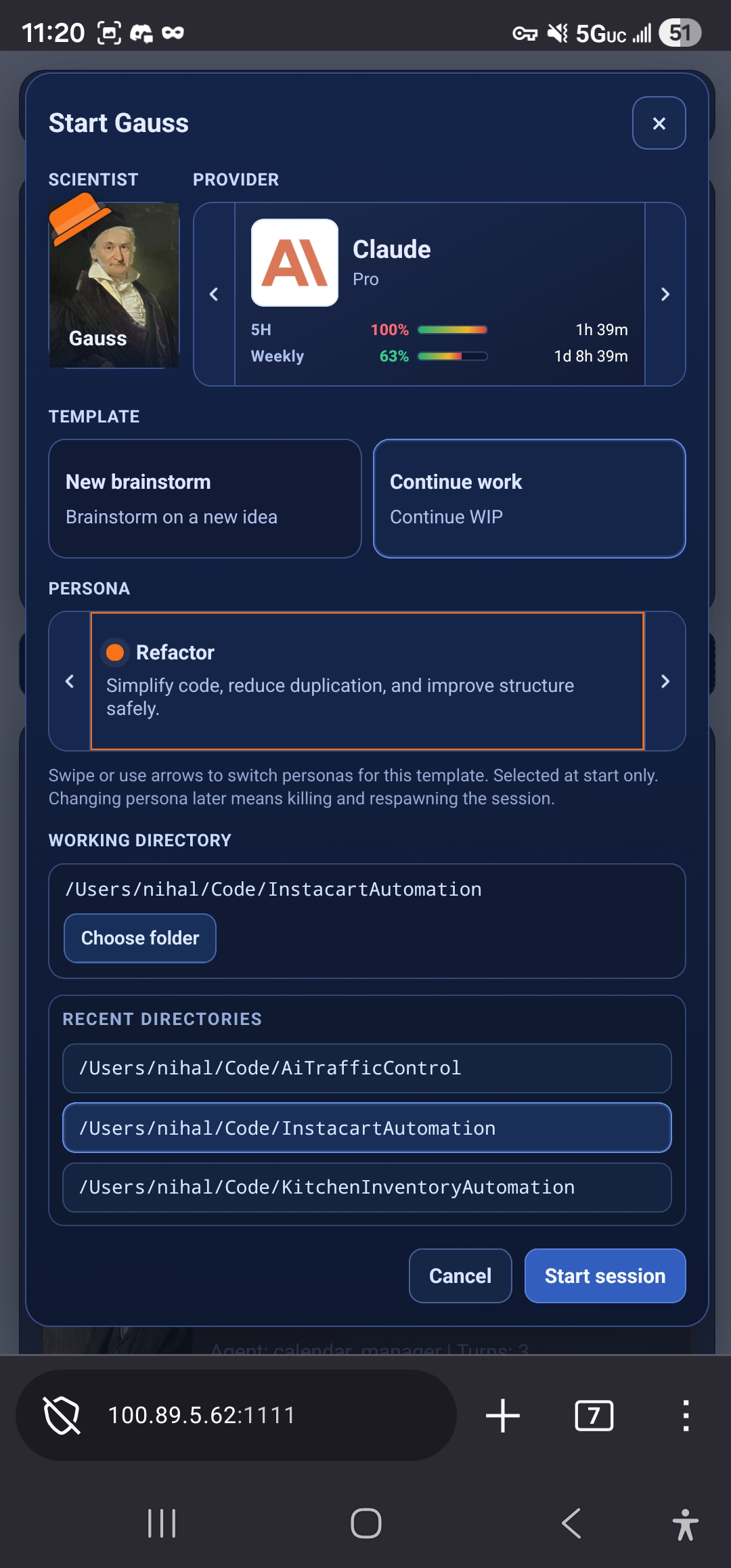
The intent modal is where you fire off a new scientist session, pick a custom provider, assign a defined persona, and start it in a specific code directory or working directory.
Fleet states
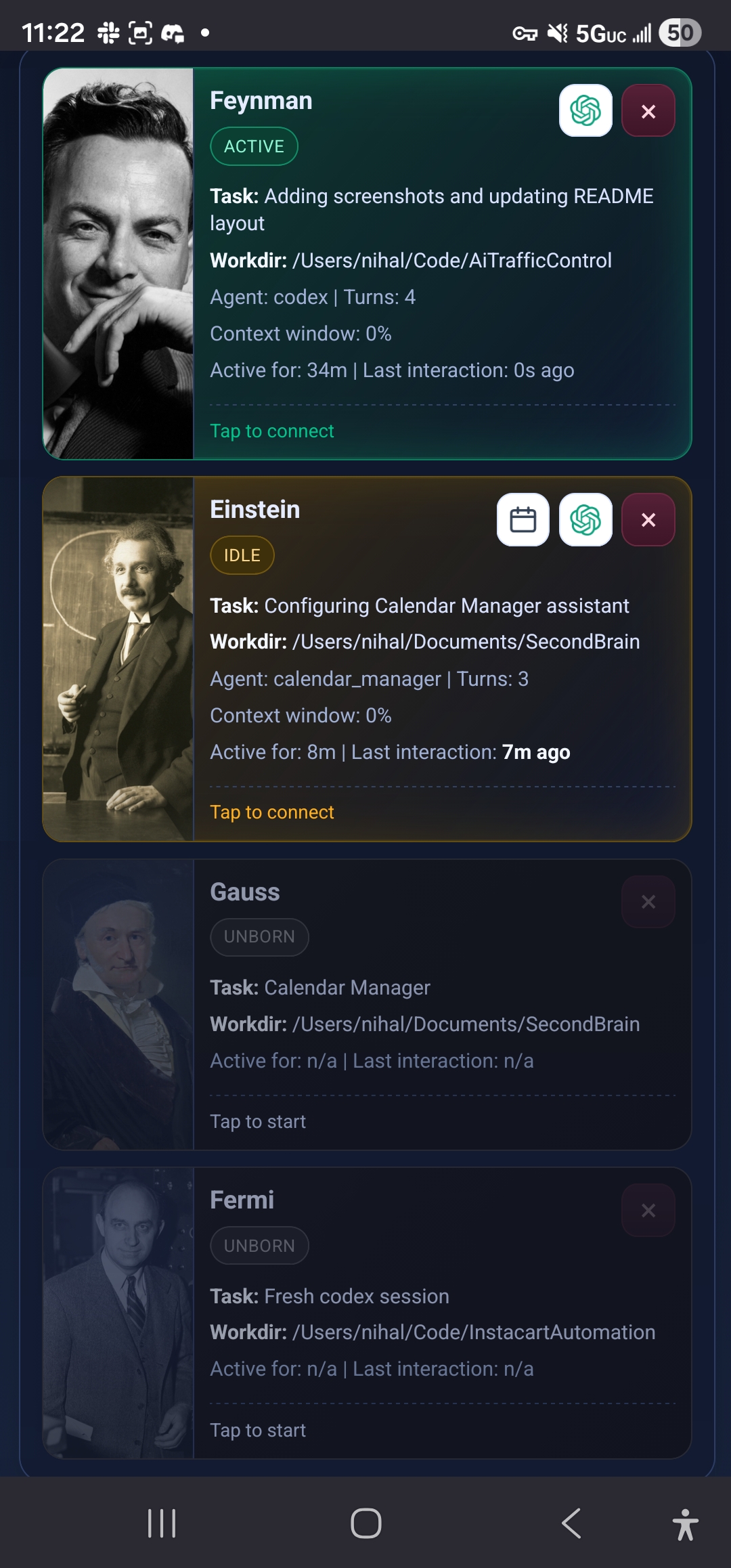
The fleet state view shows that scientist sessions can move between unborn, idle, and active as work is launched and managed over time.
What Improved in Practice
- I can see fleet states instantly (
active,idle,unborn) - I can jump into any session from phone or desktop
- I can use provider windows and weekly quotas deliberately instead of guessing
- I can launch repeatable jobs with one tap instead of setup rituals
The old mobile loop was always:
Open terminal app -> reconnect -> SSH -> attach tmux -> inspect each session
It worked, but it bled attention. This setup keeps the power of terminal-native workflows while cutting most of the repetitive context switching.
The Tradeoff: Cognitive Overhead Is Real
There is a cost.
When your phone becomes a real command center, your mind can stay latched onto background runs, next prompts, and next ideas. You can always do one more thing. That is the superpower, and also the trap.
Steve Yegge’s The AI Vampire captures this tension in language that lands. He writes: “As an individual developer, you need to fight the vampire yourself, when you’re all alone, with nobody pushing you but the AI itself.” He also frames the social pressure loop directly: “So you’re damned if you do (you’ll be drained) and you’re damned if you don’t (you’ll be left behind.)” That is exactly the builder loop now: constant momentum on one side, compounding cognitive cost on the other (The AI Vampire, Feb 11, 2026).
There’s definitely some truth there.
To the extent that this tooling makes it easier to be creative and bring ideas to life, it has personally been a game changer. But it still requires discipline: boundaries, recovery, and intentional off-switches.
Access and Security Model
The current setup is private-network first:
- Dashboard runs locally
- Remote access goes through private networking (for example Tailscale)
- Nothing is intentionally exposed publicly by default
Closing
This is still evolving, but it has already made on-the-go hacking far less fragile for me.
If you try it, the most useful feedback is:
- What broke first
- What felt faster than your current setup
- What still felt clumsy
Repository:
https://github.com/nihal111/ai-traffic-control